
You write a post and put it in two categories. Now search engines don't know which one is the main topic of the post. Neither do your breadcrumbs.
Slim SEO used to pick the first category for you. That's fine when your first choice is also the right choice. It's a problem when it's not.
That's why we added the primary term. It's a small feature, but it fixes a real headache.
What is a primary term?
A primary term is the term you mark as most important for a post. It works for any taxonomy, not just categories. A product in two product categories can have a primary product category too.
When you set a primary term, the plugin uses it in two places:
- The breadcrumb trail.
- The post permalink, when your permalink structure uses that taxonomy.
Before now, you had no control over either. You got the first term and you dealt with it.
Why does it matter for SEO?
Search engines read your site structure from links and breadcrumbs. If a post shows a different category every time you edit its categories, that's a confused signal.
A primary term keeps things stable. The post keeps the same category even when you add or remove other categories. That gives search engines one clear signal about what the post is about.
There's a secondary win. If your permalink structure contains a term placeholder, like %category%, the post URL uses the primary term. You avoid URLs that swap categories on you.
How to set one
In the editor, select two or more terms for the post. A "Primary" dropdown appears below the list. Pick the term you want. The plugin saves it with the post.
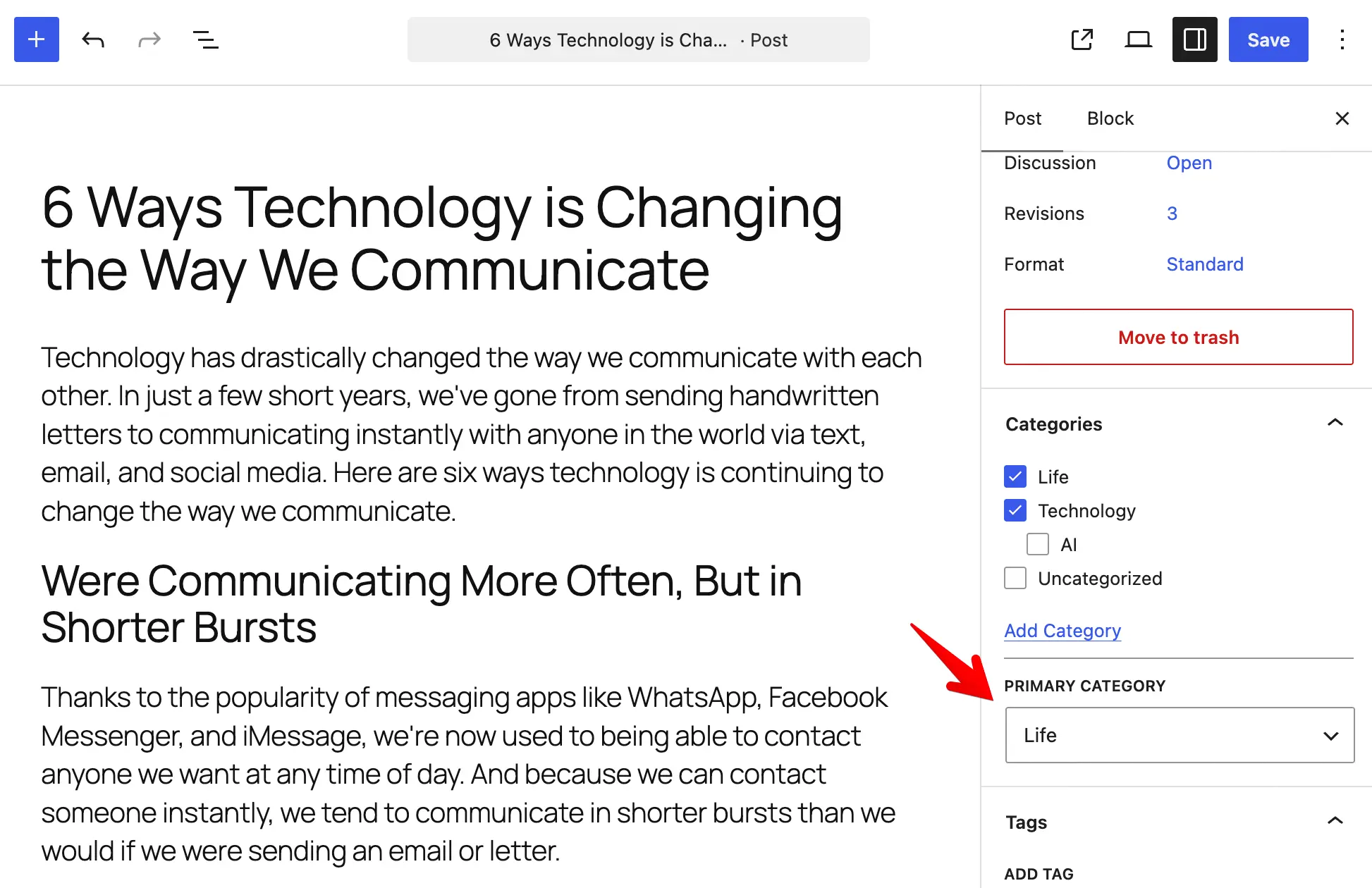
The classic editor works the same way, with a "Set primary" link next to each term. If you select only one term, the plugin uses that one automatically, and the dropdown doesn't show.
Want the details?
The docs cover the rest, including parent terms in hierarchical taxonomies and extending the permalink rewrite to custom post types. Read the primary term documentation.
A primary term won't write better content for you. It will make sure the keywords you already target stay attached to the post, through the breadcrumb and the URL. For a feature you set once, that's a good trade.