
AI agents now read your website. They fetch your posts to answer questions and cite your content. But when an agent requests a normal page, it gets a lot of things it does not need: navigation menus, scripts, ads, and layout wrappers. The agent must dig through that noise to reach the actual article.
We built Markdown for AI to fix this problem.
What it does
Markdown for AI serves your post content as clean Markdown when an AI agent asks for it. Your human visitors still see the normal HTML page. Nothing changes for them.
The feature works through HTTP content negotiation. When an agent sends an Accept: text/markdown header, Slim SEO Pro returns Markdown. Otherwise, it returns the normal HTML page.
You do not need a separate .md URL. The canonical URL stays the same.
Why it matters
Markdown keeps the article structure - headings, links, lists, tables, and code - and drops everything else. That gives you three benefits:
- Fewer tokens. The agent reads less content, so your posts cost less to process.
- Better retrieval quality. The agent reaches the real content faster and extracts answers more accurately.
- Faster responses. Less noise means the agent works through the page quicker.
Why you should use it
AI tools such as Claude Code or Cursor are becoming a common way for people to discover and reference content. When an agent can read your post cleanly, it is more likely to cite your site as the source.
The setup takes under a minute:
- Go to Settings → Slim SEO → Features.
- Turn on Markdown for AI (Pro).
- Select the post types that must serve Markdown.
- Click Save Changes.
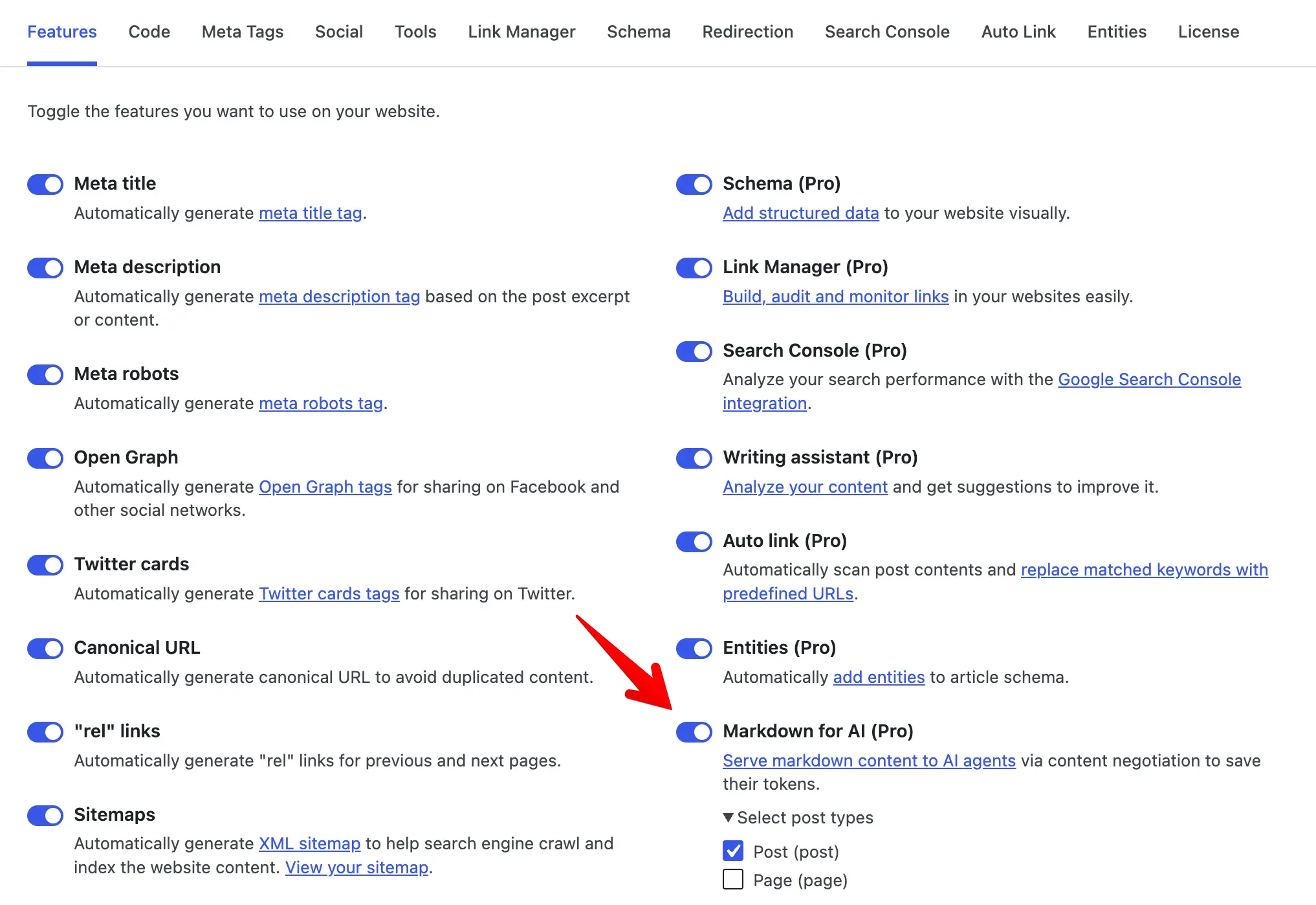
That is it. The feature is on for posts by default. Your SEO, your canonical URLs, and your HTML pages stay exactly the same - you only add a Markdown copy for the agents that ask for it.
Give AI agents the cleanest version of your content. Turn on Markdown for AI today.