
Google Analytics is popular, but it comes at a cost to user privacy and transparency. It can also be hard to learn, even though it has many features.
People look for alternatives for a few reasons. You might want to stay compliant with privacy laws, move away from big tech, or just use something simpler. Alternatives give you more control over data privacy - you can store data locally or pick servers in specific regions. This matters if you don't want your data stored overseas or shared with companies you don't trust.
Most alternatives are easier to set up, with clear dashboards and simple instructions.
Key features to look for
When you pick an alternative, know what you need to track and how the data is shown.
Look for these features:
- Privacy-focus: doesn't store personal data (IP address, location) and doesn't use cookies
- Metrics: page views, unique visitors, popular pages, traffic sources, bounce rate, devices, countries, and languages
- Campaign (UTM) and event tracking
- Easy-to-understand dashboard
Optional features:
- Real-time reporting
- Heatmaps
- Goals
Cloud Solutions
Cloud solutions let you track traffic without installing software on your server. You sign up, add a snippet to your site, and start tracking.
Here are some cloud solutions you should use:
Pros:
- No server management (installation, security, updates)
- Easy to use - just copy the tracking code to your site
- Support from the platform
Cons:
- Some platforms limit usage by number of websites or page views
- You don't own your data - it's stored on their servers, often with 30-day retention
- Free plans have limited features
- The snippet comes from another domain, which may affect site performance
Umami
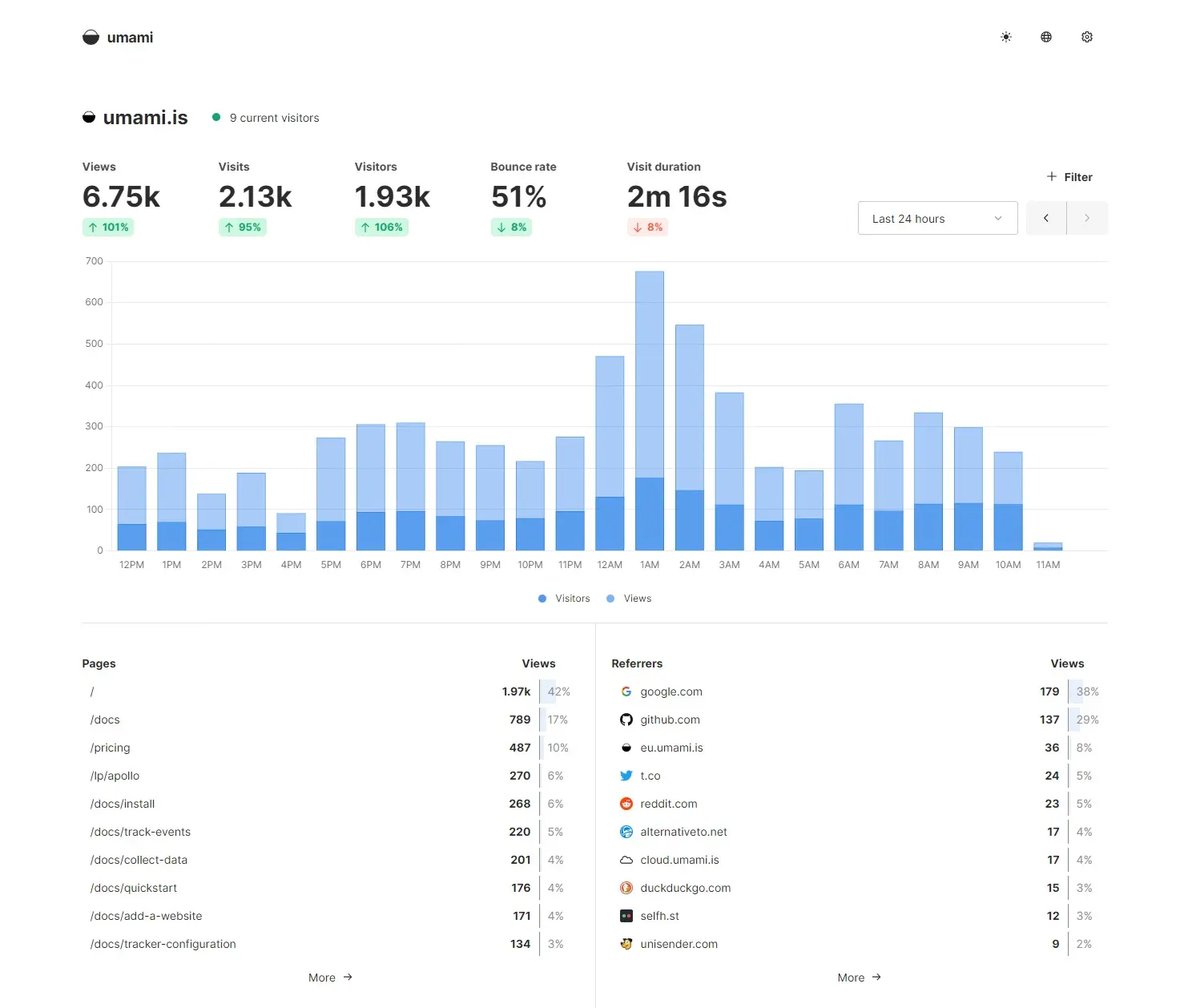
Umami is an open-source, cookie-free, GDPR-compliant tracking service. It tracks usage without identifying individual users and anonymizes all data.
Umami has a mobile-friendly interface, so you can view stats on your phone. Ad blockers won't interfere like they do with Google Analytics.
You can also host Umami on your own domain, which prevents ad blockers from blocking your tracking.
Pricing: Umami has two versions:
- Cloud: free for 100k monthly events, 1 website, 6-month data retention
- Open-source: install on your server with no limits on sites or events
Cabin

Cabin is built on privacy-by-design principles. Visitor data is 100% anonymous and compliant with privacy laws worldwide. It doesn't store IP addresses, unique identifiers, or browser fingerprints.
Cabin doesn't use cookies and doesn't share data with ad networks. The tracking script is small and won't affect your site speed.
The dashboard shows basic metrics: page views, unique visitors, bounce rate, sources, and campaigns.
Pricing: Cabin is free for one website with 30-day data retention.
Cloudflare Web Analytics

Cloudflare Web Analytics works if you already use Cloudflare's CDN. Setup is simple - just authorize web analytics and you're done. No cookie banner needed since it doesn't collect personal data.
Cloudflare tracks 4 main metrics:
- Page views
- Visits
- Page load time
- Core Web Vitals
You can break down page views, visits, and page load time by:
- Countries
- Referrers
- Page URLs
- Browsers, devices, and OSes

A big advantage is Core Web Vitals reporting. You can see LCP, INP, and CLS in detail, view them by page URL, and find which elements cause problems.
You can get weekly email updates on your site performance. Since it runs through Cloudflare's CDN, it has a light impact on page speed and avoids common privacy issues.
The main disadvantage: Cloudflare lacks event tracking, which you need to track conversions.
Pricing: Cloudflare Web Analytics is free.
Self-Hosted Solutions
Open-source alternatives are free software you install on your server. You own your data and can track as many sites as you want with no page view limits.
Pros:
- You own your data
- No limits on websites or tracked page views
Cons:
- You manage your own server (installation, maintenance, updates)
- You pay for the server, even though the software is free
If you're comfortable managing a server, here are some options:
Plausible

Plausible Analytics is a privacy-friendly alternative. All reports are on a single page with a clean design.
The tracking script is under 1 KB, so it has minimal impact on load time.
Plausible doesn't use cookies or collect personal data, so it's compliant with GDPR and CCPA.
Pricing: Plausible has two versions:
- Cloud: starts at $9/month
- Open-source: self-host on your server for unlimited websites
Matomo

Matomo is an open-source analytics platform focused on privacy. It's used on over 1.4 million websites in 190 countries.
Matomo offers heatmaps, session recordings, SEO keyword analysis, and A/B testing.
It's compliant with GDPR and CCPA. You don't need to show disclosures or get consent to use it.
Pricing: Matomo has two versions:
- On-Premise: self-host on your server with all features
- Cloud: starts at $19/month
WordPress Plugins
If you use WordPress, plugins can give you analytics inside your dashboard. You install them with a few clicks and get data on page views and user behavior.
Pros:
- Easy to install
- Integrated in the WordPress dashboard
- You own your data
Cons:
- Data lives in your WordPress database, which grows over time and may cause performance issues
- High traffic creates load on your site when tracking
WP Statistics

WP Statistics shows your site stats without sending data anywhere. You see visitor counts, traffic sources, browsers, search engines, and which content gets more visits.
All data stays on your server. WP Statistics is GDPR compliant.
Features:
- Metrics: IP, referral, browser, search engine, OS, country, and city
- Stats by categories, tags, and authors
- Widget support
- Export to TSV, XML, and CSV
- Email reports
- UTM parameter tracking
- Graphs and visual stats
Burst Statistics

Burst Statistics gives you visitor insights with a privacy-friendly dashboard. The dashboard is clean and shows essential metrics on one page.
Features:
- Metrics: pageviews, visitors, sessions, time on page, and referrers
- Privacy-friendly: locally hosted with anonymized data via Complianz
- Cookieless tracking: uses anonymous parameters without storing data in browsers
Independent Analytics

Independent Analytics is fast, lightweight, and GDPR compliant.
It integrates deep with WordPress. Instead of just listing URLs, it shows metrics like authors, publish dates, and views alongside your posts.
This plugin is free and doesn't require an account on another site. Features include:
- Most popular posts and pages
- Top traffic sources
- Geodata with interactive world map
- GDPR compliant
Koko Analytics

Koko Analytics is a privacy-focused WordPress plugin. It tracks visitors, page views, popular content, and referral sources without invasive data collection.
The interface is simple and easy to use for all skill levels.
Which alternative should you pick?
If you don't want to manage a server, go with a cloud solution.
If you want full control and ownership of your data with no limits, pick an open-source solution.
If you use WordPress and want built-in traffic insights, use a WordPress plugin.
When you choose, look at the dashboard design, the metrics provided, and any limitations you might face.